
Export approved hours to Excel
Hours Excel Output is an optional export for Managers and Org Admins with access enabled for their organisation and role. It starts off for other organisations. When available, open Settings → Hours Excel Output.
Choose the week and download
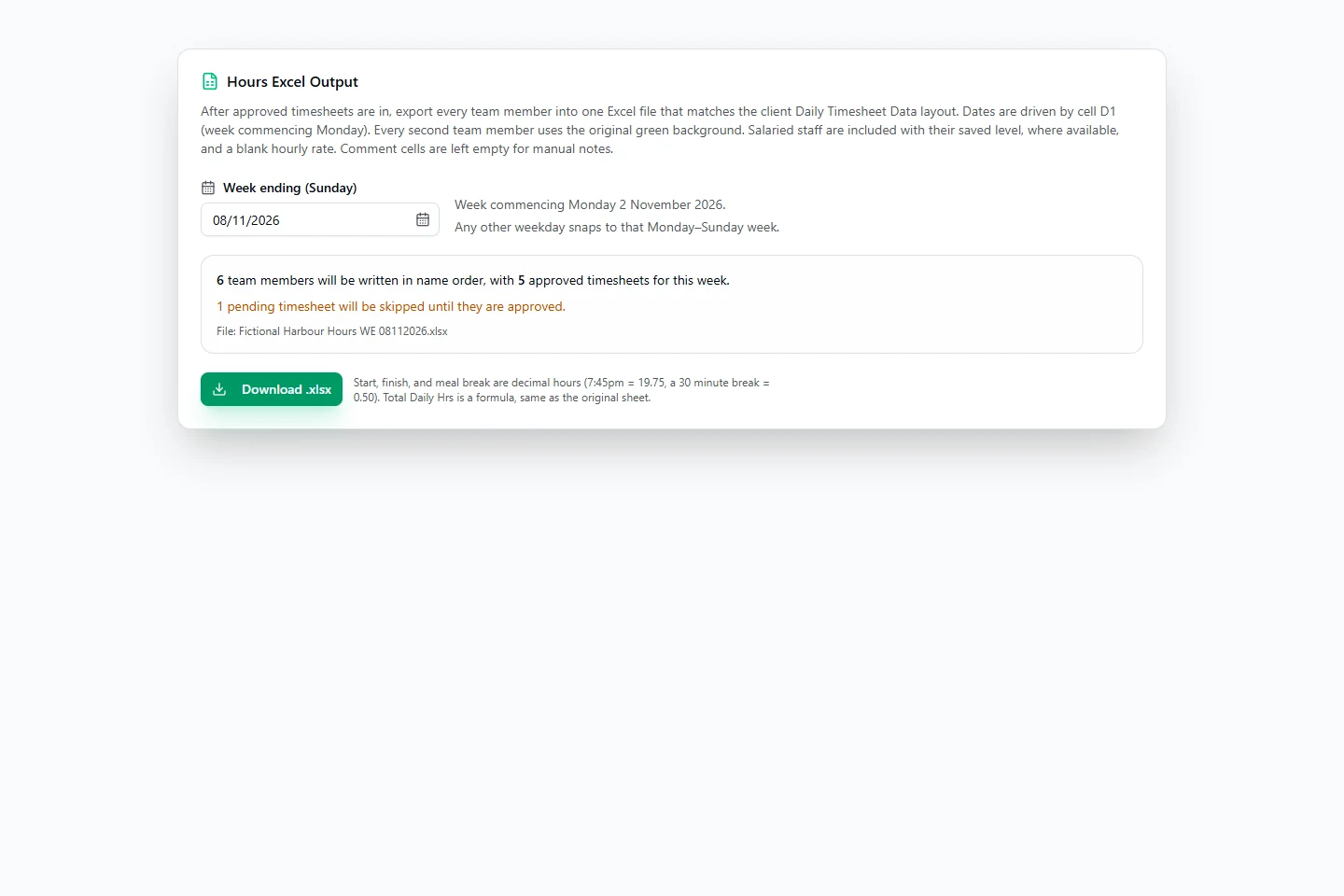
Choose the week ending Sunday, check the staff and approved-timesheet counts, then select Download .xlsx. Dates and clock times use the organisation’s timezone. Pending timesheets are excluded until approved.
Salaried staff and saved details
Active salaried staff, including salaried Admins, are listed even without approved hours in the selected week. Their employment type is Salaried, the level uses saved classification or pay details where available, and Hourly Rate is blank. Salary amounts are never converted into an hourly rate for this workbook. Only actual approved clock records populate their days; hours are not invented for weeks without records.
Clear Comment cells
Each staff block retains its Comment header and empty daily cells for manual notes. Shift notes, admin notes and automatic exception messages are not inserted. The existing workbook has two shift slots per day; review days with more shifts separately. Start, finish and meal breaks use decimal hours, and Total Daily Hrs retains its existing formula.
Archived/deleted accounts and platform/payroll-only roles stay excluded. Other Admin accounts are listed when they have approved hours. The workbook supports review and handover; salary payments remain part of your separate payroll process.