
Record food temperatures with a clear location and owner
Temperature Records is an optional food-operation tool for eligible industries. Super Admin grants availability; an Organisation Admin then turns on its separate organisation switch. It is not medical monitoring, a general equipment-monitoring service, an automatic sensor integration or food-safety certification.
Configure the recording round
- Ask Super Admin to enable Temperature Records in the organisation's feature controls.
- As an Organisation Admin, open Settings → General, enable Temperature Records and open Configure locations and staff.
- Select the food-handling location, add and order its recording points, and assign responsible staff.
- Choose fixed alert times or an interval from the location's opening time, then set the grace and escalation periods. Save each confirmed change.
The organisation switch saves independently from ordinary Save Changes. A new industry template can make the feature available for future setup, but does not enable an existing organisation's switch or change its recording points.
Complete and confirm a round
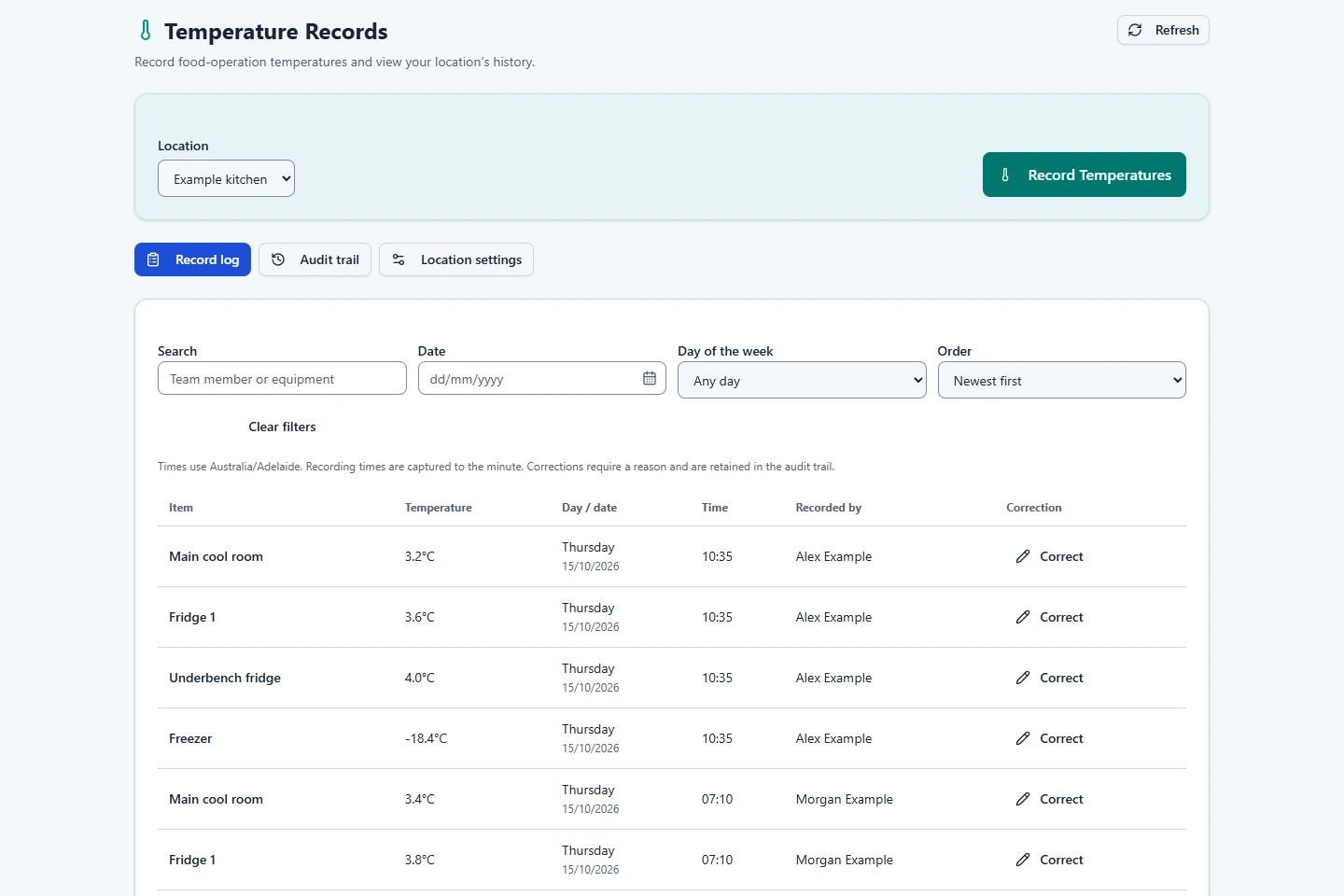
- Open Temperature Records and choose Record Temperatures.
- Select the location you are authorised to record for.
- Enter the actual temperature for each configured point, review the summary and confirm the round.
- Check the saved records. The app records who completed the round and when.
Reminders go to the highest-priority assigned worker actually clocked in at the location. If the round is not started within the configured grace period, the configured escalation applies. Delivery depends on current access and notification settings.
Review records and corrections
- Search the temperature log by its available dates and location filters.
- If a correction is required, an Organisation Admin edits the record and checks its dedicated audit history.
- If food temperatures need operational follow-up, use your organisation's food procedures and record factual supporting information in the appropriate workflow.
Turning off availability or the organisation switch stops access and relevant rounds or reminders while retaining history. Review settings before enabling the tool again. Keep your own food limits, corrective-action procedures and required external records; the app does not certify that a reading is safe.
Related: Feature access and industry setup · Shared Operations tools · Task Lists & Inspections.