
Plan one shift with an ordered run
Super Admin enables Security Patrol Runs for Security or Multi-location Runs in other supported industries. Availability is separate from other Security or Operations tools. Existing organisations are not enabled by a template change.
1. Add the shift and stops
- Open Team Roster for the correct organisation and primary location, then add a shift.
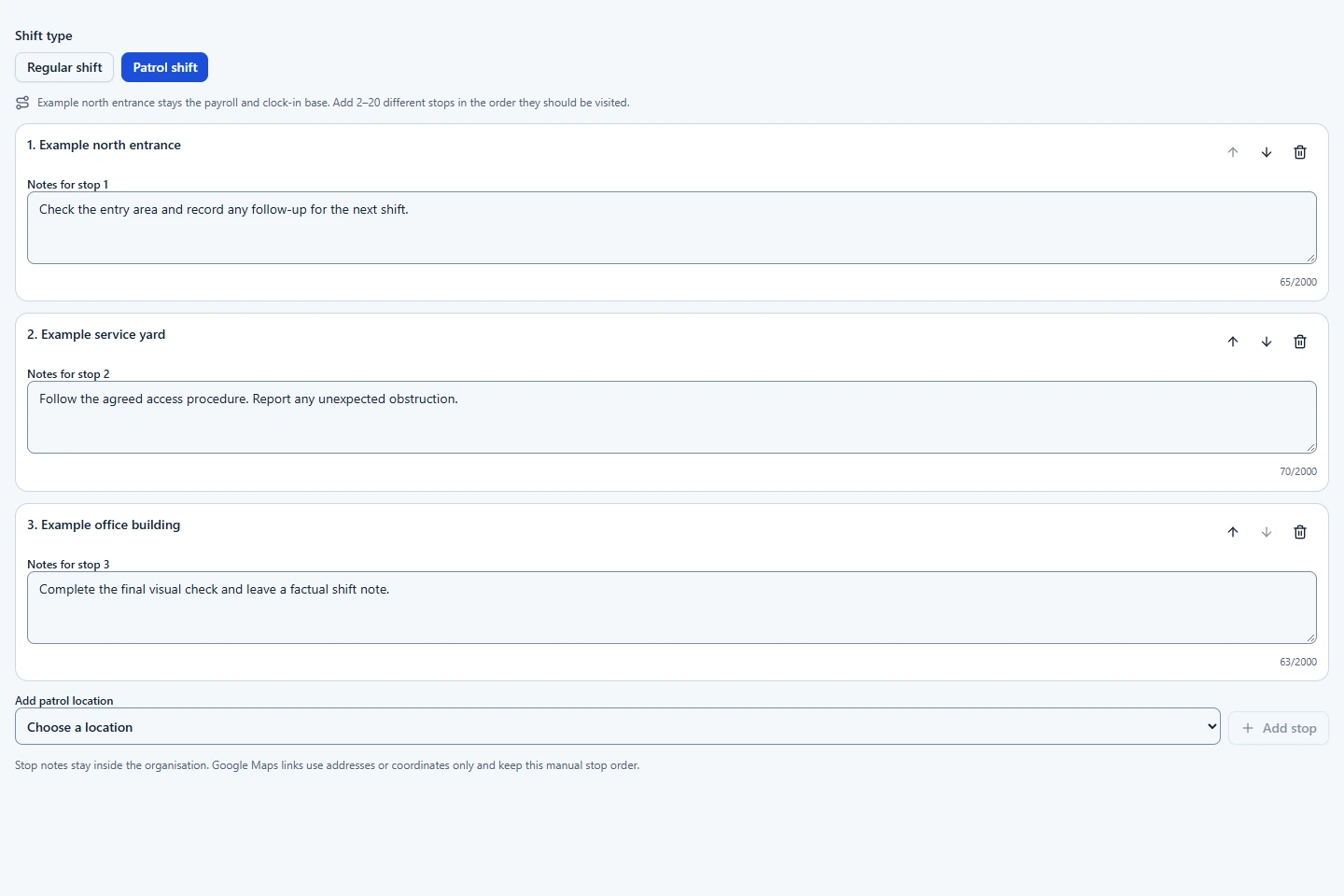
- When the feature is available, choose Patrol shift rather than Regular shift. Other eligible industries use multi-location run labels.
- Select two to twenty distinct active locations. Managers can select only locations they manage.
- Use the labelled move controls to arrange visit order. Add detailed instructions for each stop.
- Save through the normal roster process and review before publishing.
2. Open the run and directions
- Assigned workers open patrol details from their personal roster.
- Use directions for an individual stop or the ordered route links to open Google Maps.
- Long runs split into route parts to respect mobile waypoint limits; follow the parts in their shown order.
The primary roster location remains the clock-in and payroll base. Stops do not create extra paid shifts or clock events. Map links share addresses or coordinates only; stop notes, codes and internal identifiers stay in ShiftRova. The stop order is manual: there is no paid routing API, automatic fastest-route optimisation, continuous tracking or proof of a visit.
3. If the planner is unavailable
Check the organisation, enabled feature, role and location access. Ordinary shifts remain available through the normal flow. Turning the run feature OFF retains saved history while stopping access to its tools.