
Record a note for your current shift
Private Shift Notes is a separately enabled feature. Security uses the label Security shift notes; other eligible industries use the shared tool. Super Admin grants availability independently. A team member sees their own notes; the selected organisation's Managers and Admins can also access them. Unscheduled clock-ins cannot create these notes.
1. Add and edit notes
- Clock into your own published rostered shift.
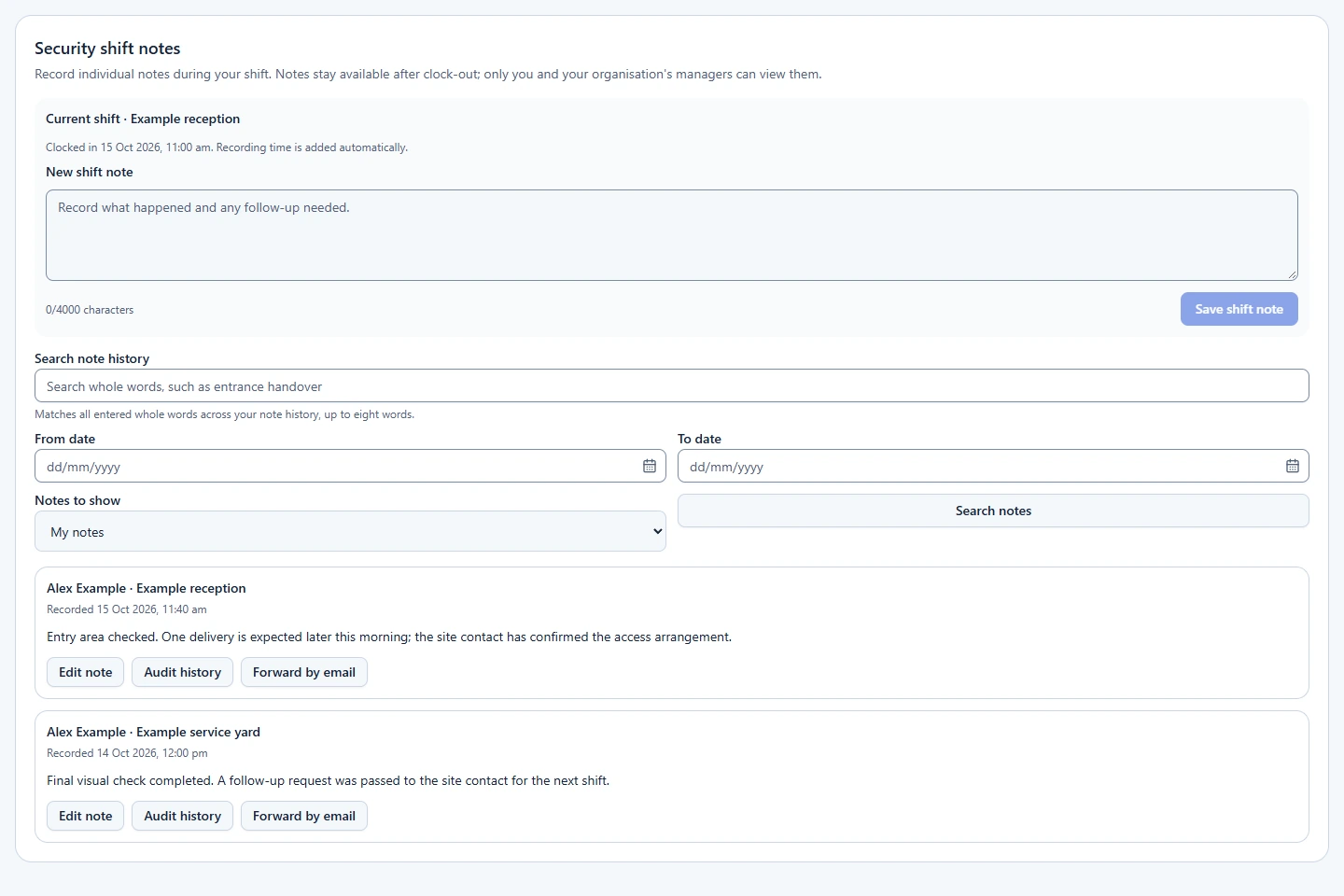
- Open the notes area on Dashboard, labelled Security shift notes for Security.
- Enter a factual individual note and choose Save shift note. The server records its timestamp automatically.
- Only the author can edit their note. Recording time stays unchanged; original and edited versions remain in Audit history.
2. Search earlier notes
- Return to the same area after clock-out. Previous notes remain available.
- Search up to eight whole words and filter by recording date. Try specific words used in the note rather than fragments.
- Managers and Admins can switch between their own and organisation notes; workers do not gain access to colleagues' private notes.
- Open the relevant note and its audit history to review changes or forwarding outcomes.
Displayed dates and times use the organisation timezone. Note bodies and audit details are encrypted. Turning the feature OFF retains history but closes access until enabled again. Private notes are separate from reviewed handovers, incident actions and clinical or participant records.
3. Forward a note by email
- Choose Forward by email on an accessible note.
- Enter the recipient and select Preview email. Review the exact recipient, subject and note contents.
- Confirm the review, then choose Confirm and send email. This shares the chosen note outside ShiftRova.
- Check Audit history for pending, sent, failed or suppressed outcomes. If delivery is uncertain, check the original attempt before starting another. Retrying the same request avoids a duplicate send.
Creation, edits and forwarding attempts are audited. Test organisations and reserved fictional addresses suppress external email. A pending outcome is not proof of delivery.