Open compatibility table
Check your payroll handover
Compare reviewed connections, import files and the limits for your receiving payroll product.
 Employment Hero Payroll
The optional default-OFF connection supports Australian Payroll/KeyPay, separately from Employment Hero HR. Managers and above connect an authorised payroll API key, explicitly confirm the business and match records. Review approved dated hours, then submit up to three pending lines per confirmation with stable external IDs. Retained line results and read-only reconciliation protect uncertain outcomes. Rates, payroll approval, pay runs, payslips and STP stay in the payroll system.
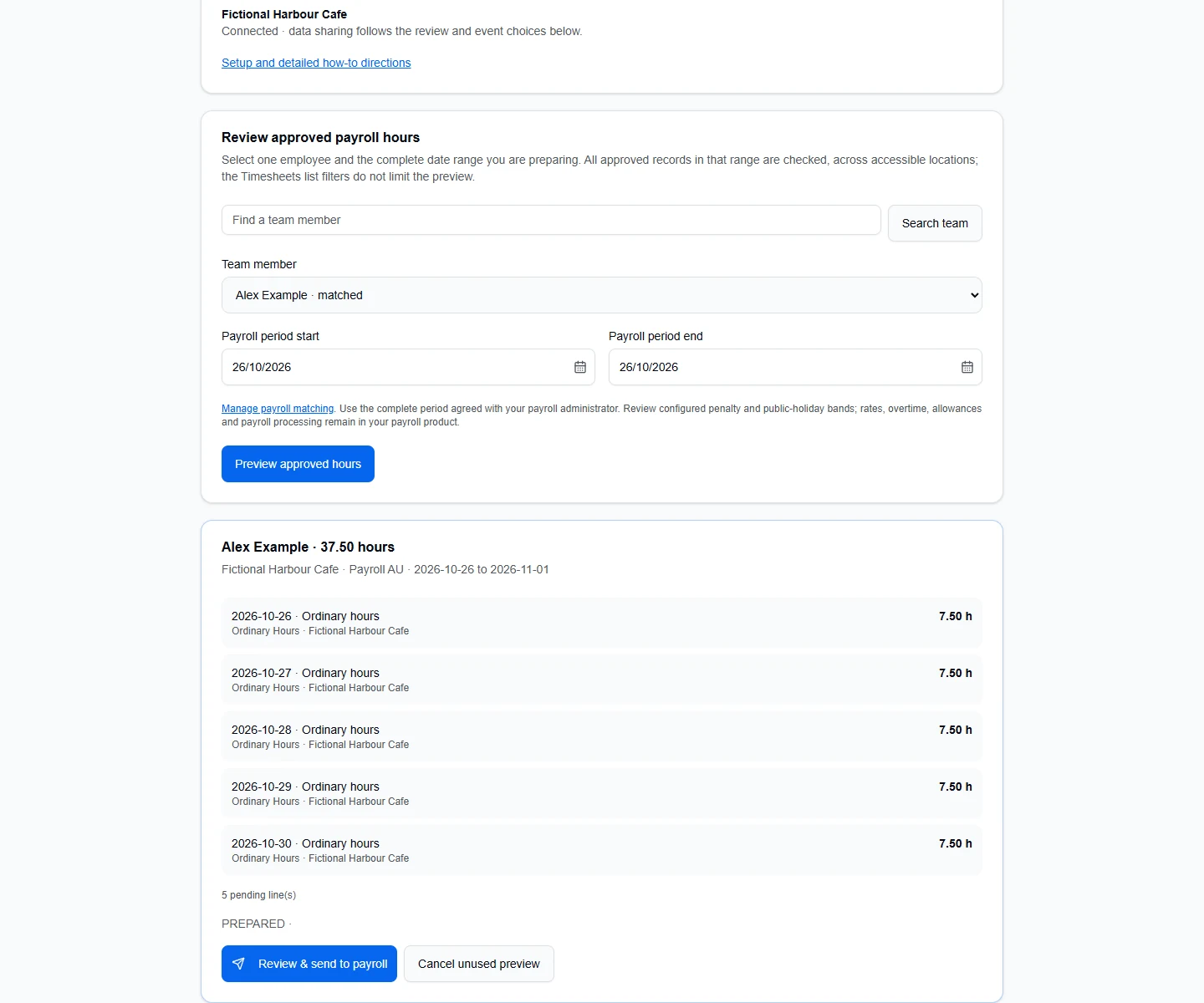
This connection targets Australian Employment Hero Payroll, also known as KeyPay, rather than the separate Employment Hero HR platform. It submits reviewed approved-hour lines to the explicitly selected payroll business. Use the workflow to reduce the handover of time records while keeping payroll approval and final processing in the provider.
Confirm that the account is the supported Australian payroll product and that the organisation capability is available. The authorised Manager or administrator needs current Timesheets, Settings and original-location access. Establish which payroll business should receive the time; an HR account alone is not the required payroll destination.
Configure the authorised payroll API key through Settings → Integrations without sharing it in email or notes. Explicitly select the business and match employees, hourly categories and locations. Review those mappings with the payroll owner. A matching label is not sufficient evidence that the employee or earning category is correct.
Choose approved, complete dated hours and inspect the proposed payroll lines. Check employee identity, locations, categories, breaks and overnight portions. Resolve missing mappings or source exceptions before confirmation. Do not treat the preview as an award-compliance determination or as authority to change another payroll business.
Each confirmation sends up to three pending lines with stable external identifiers. Retained results allow partial work to continue without resending accepted lines. If the outcome is uncertain, use the read-only result check before another action. Inspect the provider records and let the payroll reviewer decide when to approve and run payroll.
Rates, payroll approval, pay runs, payslips and STP remain in Employment Hero Payroll. Hourly transfers reject salaried earnings. API-key access and provider entitlements are separate from ShiftRova availability. Backups retain history without recovering keys, mappings or replayable submissions. Disconnecting cannot undo lines already accepted by the payroll provider.
Read the Employment Hero Payroll setup and review guideUseful checks before you start
Use a practical guide or planning tool alongside the product workflow. Free tools stay open; PDF guides are delivered after the resource request.
Open compatibility table
Compare reviewed connections, import files and the limits for your receiving payroll product.
Free PDF · email delivery
Work through missing punches, corrections and export revisions before a payroll handover.
Open switching checklist
Review the supported import, draft roster and deliberate invitation sequence before moving the team.