 Zapier
What is available today
The optional Zapier & Make capability starts OFF. Managers and above save their own Catch Hook URL and explicitly select new shift-publication and timesheet-approval events. Permission-checked background delivery excludes wage rates, bank details, private notes and client records. Event IDs support downstream duplicate protection; endpoint acceptance and downstream completion are separate. This uses Webhooks by Zapier, not a published native Zapier marketplace app.
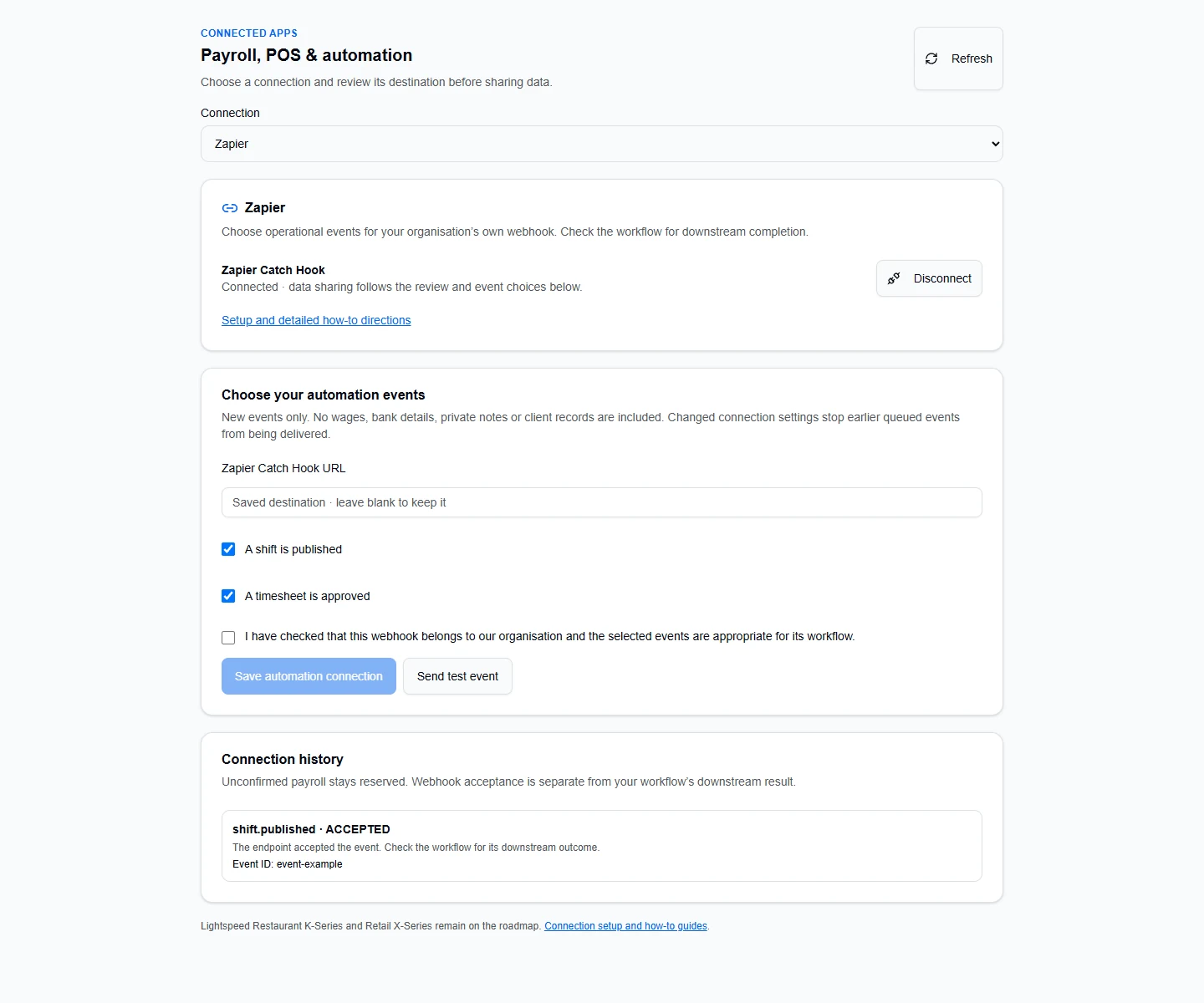
- Selected operational events and a manual test event
- Provider-host restrictions, signed payloads and retained delivery history
- OFF, changed access and recovery stop unauthorised or replayed delivery
Set up a reviewed Zapier workflow
ShiftRova can send selected operational events to an organisation-owned Webhooks by Zapier destination. This is a webhook workflow rather than a published native Zapier marketplace app. Decide what the receiving Zap should do and who owns it before enabling delivery; a successful handoff to the endpoint does not prove that every later Zap action completed.
1. Prepare a destination you control
Create the appropriate Catch Hook workflow in the authorised Zapier account. Check the provider’s current plan and account requirements directly. ShiftRova’s independent automation capability starts off and must be available for the organisation. Managers and above also need current Settings and relevant location access before configuring delivery.
2. Configure the connection deliberately
In Settings → Integrations, save your supported Zapier destination and explicitly select the new shift-publication or timesheet-approval events needed. Confirm destination ownership. Keep the displayed signing secret securely; do not paste it into public notes. Leave unneeded events off so the receiving workflow only handles the information it needs.
3. Test the event and receiving workflow
Use the manual test event and inspect the endpoint response and the actual receiving workflow separately. Use the event ID to prevent duplicate downstream work. If verifying signatures, the receiving workflow needs the exact raw request body and timestamp; a Catch Raw Hook or equivalent raw-body handling may be necessary.
4. Review delivery without blind replay
Review retained delivery results after a selected new event. An endpoint acceptance is different from completion of downstream tasks. Unknown deliveries are not automatically resent; check the receiving workflow before deciding what needs attention. Turning the capability off, losing access or changing connection settings can stop future delivery without erasing history.
Before you confirm
- Organisation-owned supported webhook URL and selected event types
- Minimal payload, receiving permissions and signing-secret handling
- Event-ID duplicate protection and endpoint acceptance
- Actual downstream Zap result and retained delivery history
Payloads exclude wage rates, bank details, private notes and client records. The connector does not provide arbitrary access to staff data or a general-purpose payroll sync. Older events and recovered history do not become replayable jobs. Any actions, charges or access in Zapier are controlled separately by the owner of that workflow.
Read the Zapier setup and review guide