Open compatibility table
Check your payroll handover
Compare reviewed connections, import files and the limits for your receiving payroll product.
 MYOB
The optional MYOB Payroll Connection starts OFF and requires Super Admin availability, platform credentials and account consent. Managers and above match employees and hourly wage categories against the connected company file, review approved dated hours and prepare a tab-delimited import file. Import and review it in a compatible MYOB product; this release does not use MYOB's date-range replacement API or process payroll. Existing MYOB file exports remain available separately.
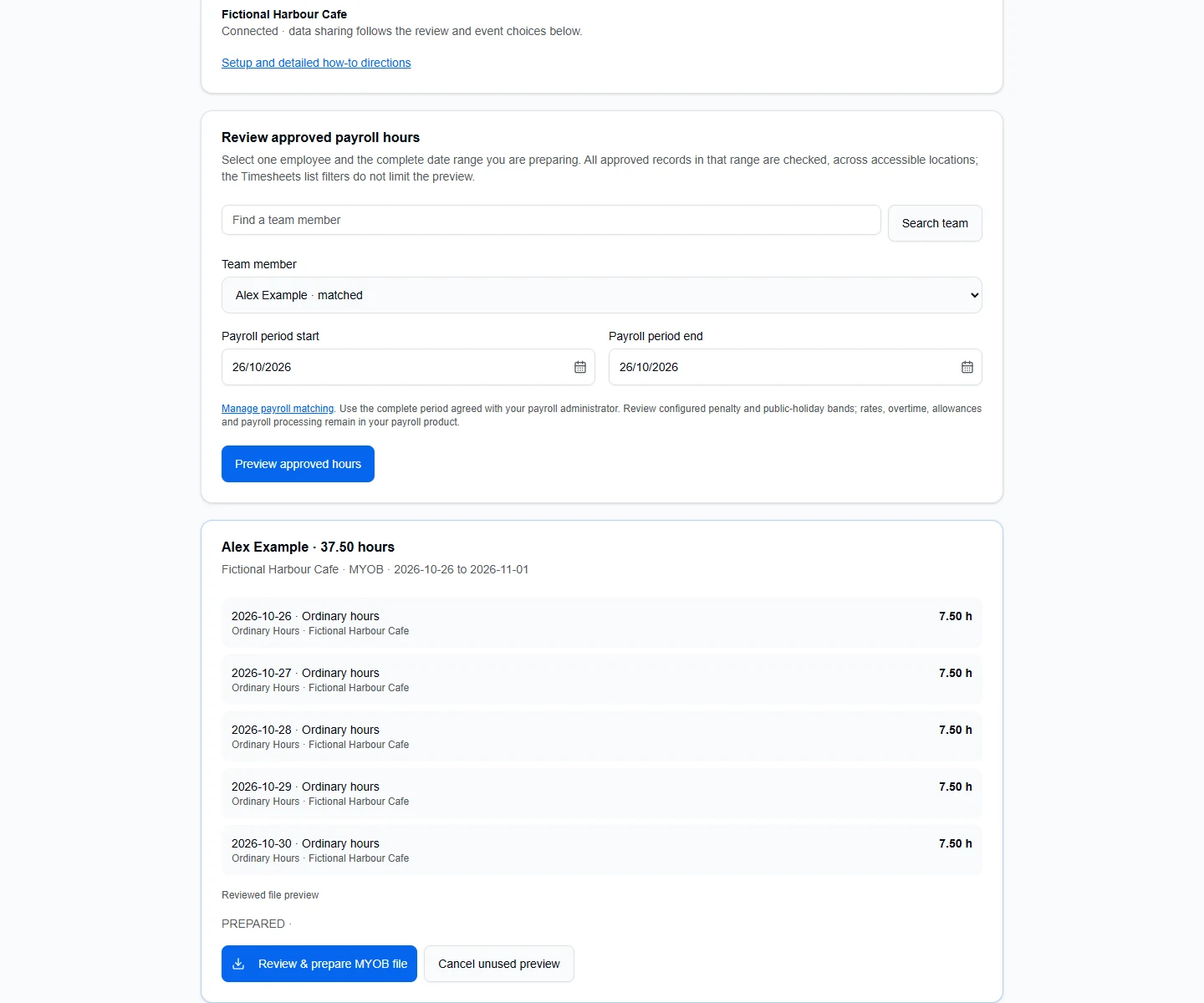
The connected MYOB workflow helps you verify employees and wage categories against an authorised Australian online company file, then prepare an import file from reviewed approved hours. The output is still a file for an explicit MYOB import and payroll review. It is not a direct timesheet write or a completed payroll calculation.
Confirm that your MYOB product supports the required timesheet import format. The organisation capability must be available and platform credentials configured. A Manager or administrator needs the relevant current page and location access. Ask the payroll reviewer which company file and hourly wage categories should receive the time.
Use Settings → Integrations to authorise the intended Australian online MYOB account and select the company file. Match the connected employee Card IDs and active hourly wage categories explicitly. Do not assume the same display name in two systems identifies the same employee or that every category is suitable for an import.
Select the intended source period after attendance exceptions have been resolved and hours approved. Check the proposed employee, category, date and hour lines against your payroll process. Review paid time, breaks and overnight dates carefully. Confirm the period has not already been imported through another file or payroll connection.
Prepare the reviewed tab-delimited file and retain its result in ShiftRova. Import it through the compatible MYOB workflow and inspect the resulting records before processing payroll. Keep the exact file and import outcome together so the reviewer can distinguish an already imported period from one that still needs attention.
The release deliberately avoids the MYOB date-range replacement timesheet API, which can replace existing payroll data. It does not process payroll, write payslips or make an STP submission. Salary earnings are omitted from hourly payroll files. Existing standalone MYOB exports remain separate; check for duplicate periods before combining workflows. Disconnecting does not undo files already imported into MYOB.
Read the MYOB setup and review guideUseful checks before you start
Use a practical guide or planning tool alongside the product workflow. Free tools stay open; PDF guides are delivered after the resource request.
Open compatibility table
Compare reviewed connections, import files and the limits for your receiving payroll product.
Free PDF · email delivery
Work through missing punches, corrections and export revisions before a payroll handover.
Open switching checklist
Review the supported import, draft roster and deliberate invitation sequence before moving the team.