Open compatibility table
Check your payroll handover
Compare reviewed connections, import files and the limits for your receiving payroll product.
 Xero
The optional Xero Payroll Connection starts OFF and requires Super Admin availability, configured platform credentials and explicit account consent. Managers and organisation administrators match employees and hourly earnings, preview a complete employee pay period, then confirm a draft timesheet transfer. Retained results and read-only reconciliation protect against duplicate transfers. Existing Xero reference CSV files remain available separately. Rates, payslips, leave, tax and STP stay in Xero.
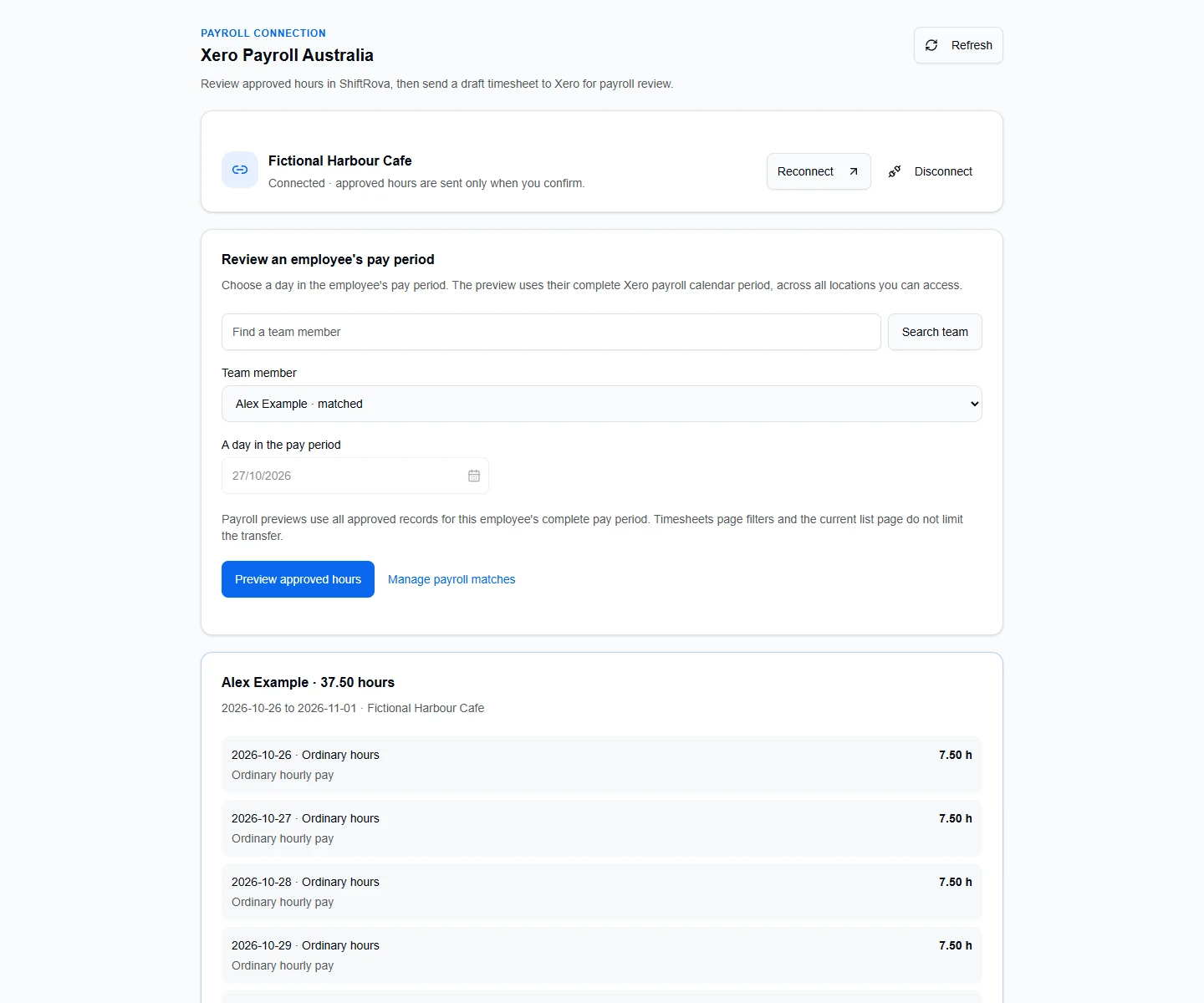
Use the Australian Xero Payroll connection when you want a reviewed employee pay period to become a draft timesheet in the selected Xero organisation. It is a separate workflow from downloading a reference CSV. Start with a small period that your payroll reviewer can reconcile; do not use a real pay run as a connection test.
The platform must have Xero credentials configured and the organisation capability available. A Manager or organisation administrator also needs current Timesheets, Settings and original-location access. A Payroll Officer remains read-only. Availability alone does not connect a provider account or grant permission to send hours.
Open Settings → Integrations and follow the browser consent process. Explicitly select the intended Xero organisation. Then match employees and active hourly earnings items using the connected records. Similar names are not evidence of a correct match, and a connection to the wrong payroll should be resolved before proceeding.
Approve and complete the source records first. Use Timesheets → Send to payroll to preview a complete employee pay period, checking dates, earnings categories, paid time and breaks. Overnight work can cross dates or payroll boundaries; compare the resulting dated lines with the hours you expect rather than relying on the total alone.
Confirm the reviewed preview once and check the retained transfer result. Inspect the draft timesheet in Xero before the payroll reviewer continues. An interrupted or uncertain result should use the read-only result check; repeating a send blindly can duplicate payroll work. A source or mapping change can require a fresh review.
This connection does not write pay runs, payslips, leave, tax, STP, bank details or employee records. Hourly transfers reject salaried staff; salary estimates in ShiftRova are not payroll earnings. Disabling or disconnecting retains review history but stops future access. Recovered history does not restore credentials or authorise another send.
Read the Xero setup and review guideUseful checks before you start
Use a practical guide or planning tool alongside the product workflow. Free tools stay open; PDF guides are delivered after the resource request.
Open compatibility table
Compare reviewed connections, import files and the limits for your receiving payroll product.
Free PDF · email delivery
Work through missing punches, corrections and export revisions before a payroll handover.
Open switching checklist
Review the supported import, draft roster and deliberate invitation sequence before moving the team.