 Make
What is available today
The optional default-OFF Zapier & Make capability sends selected operational events to the organisation’s supported Make Custom Webhook URL. Managers and above configure the destination and event choices; current owner/location access is checked before background delivery. Use event IDs and optional signature verification in your scenario, and inspect Make for downstream completion. Interrupted events are not automatically resent. This is a Custom Webhook workflow, not a published native Make app.
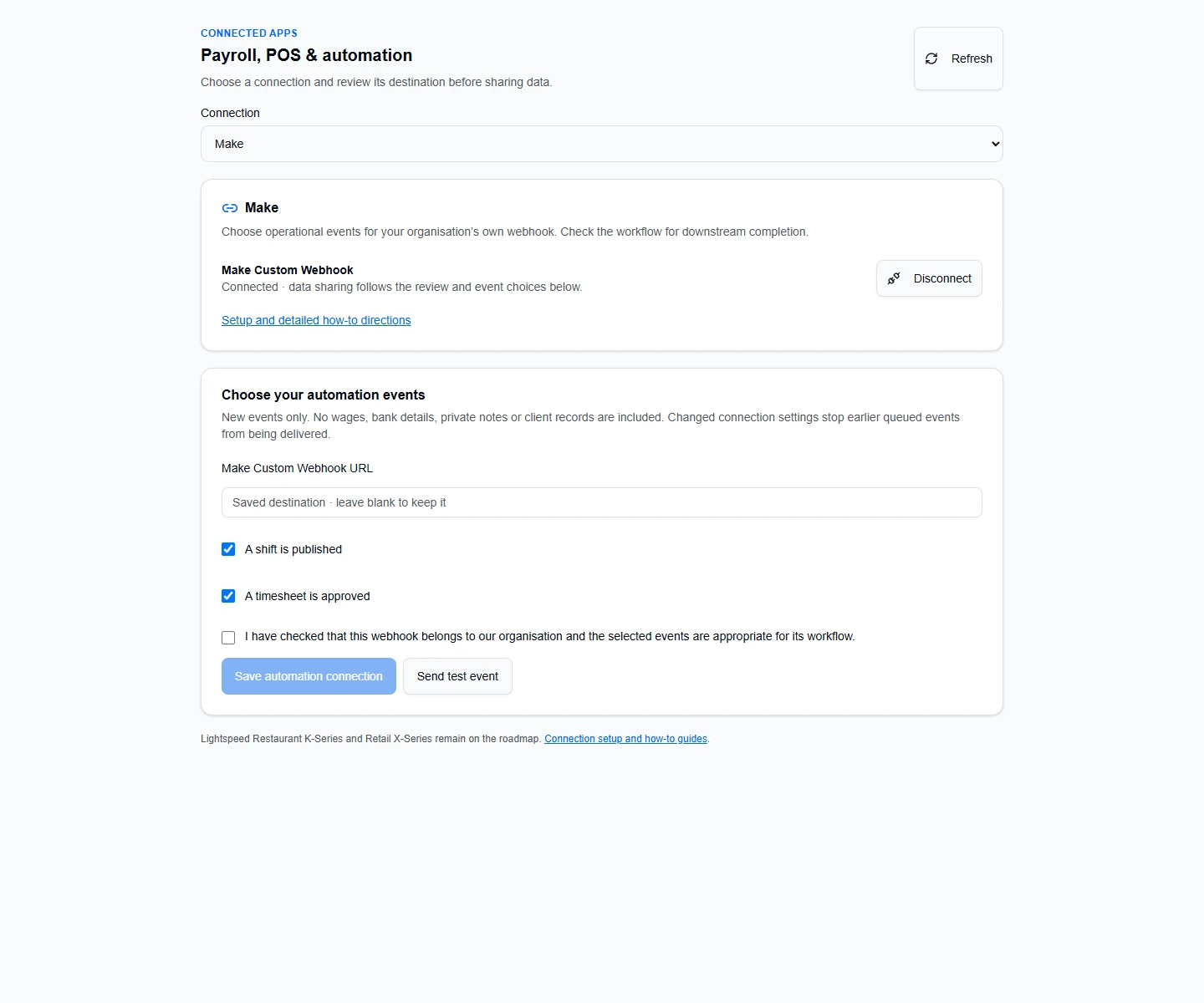
- New shift-publication and complete timesheet-approval events
- Explicit destination/event choices with minimal operational data
- Delivery history, signed payloads and no recovery replay
Set up a reviewed Make workflow
Use a supported Make Custom Webhook to receive selected new shift-publication and timesheet-approval events. This is a custom scenario workflow rather than a published native Make app. Define what the scenario should do and how you will check its outcome before enabling delivery, especially when a later module changes data in another service.
1. Prepare the receiving scenario
Create an organisation-owned Custom Webhook in the authorised Make account and confirm current provider plan requirements. The ShiftRova automation capability starts off and must be available for the organisation. A Manager or administrator needs current settings and original-location access; owning a scenario alone does not grant ShiftRova permissions.
2. Save a supported destination
Open Settings → Integrations, configure the supported regional Make webhook URL and select only the event types you intend to use. Explicitly confirm ownership of the destination. Secure the signing secret shown during setup and keep it out of shared notes. Check that the Make account and destination belong to the intended organisation.
3. Inspect a test and define duplicate handling
Use the manual test event, inspect the received fields and confirm how the scenario handles the event ID. A receiving module should not repeat work merely because a payload is encountered twice. Optional signature verification needs the exact raw body and timestamp; validate that your scenario preserves those inputs before relying on that check.
4. Review both ends of delivery
Inspect ShiftRova’s retained delivery result and the Make scenario’s actual execution result. HTTP endpoint acceptance does not establish that every later module succeeded. Interrupted or uncertain events are not automatically resent. Review destination-side records before a manual correction, and keep the operational record separate from any downstream financial action.
Before you confirm
- Supported organisation-owned regional Make webhook URL
- Explicit new-event choices and minimal data fields
- Event-ID duplicate protection and any signature verification
- Endpoint acceptance, scenario result and retained delivery history
Delivery excludes wage rates, bank details, private notes and client records. Permission loss, OFF settings and recovery prevent unauthorised delivery or replay. The connection does not configure arbitrary Make modules, guarantee downstream completion or turn recovered history into new live events. Make account usage and third-party actions remain the scenario owner’s responsibility.
Read the Make setup and review guide